From your footage to a report. No setup.
Upload a ride. RydIQ finds every vehicle that passed you, measures how close it came, works out what it was and reads the plate, then hands you a report you can send to anyone.
Your ride, from upload to report.
No setup, no calibration, no manual review on your end. Seven stages, and a notification when they’re done.
Upload your ride
Drop in any clip from a forward, helmet, chest, or rear-facing camera. RydIQ prepares your ride for analysis automatically. Your card can be wiped the moment the upload finishes.
Find every vehicle
Cars, trucks, motorcycles and vans that passed you are found on every frame and followed through the pass, with each encounter marked on your ride timeline.
Filter the noise
Parked vehicles you rode past and oncoming traffic that wasn't actually close are classified out. What's left is the set of vehicles that genuinely passed you. Oncoming or turning vehicles that came dangerously close are kept, flagged as conflicts.
Measure how close
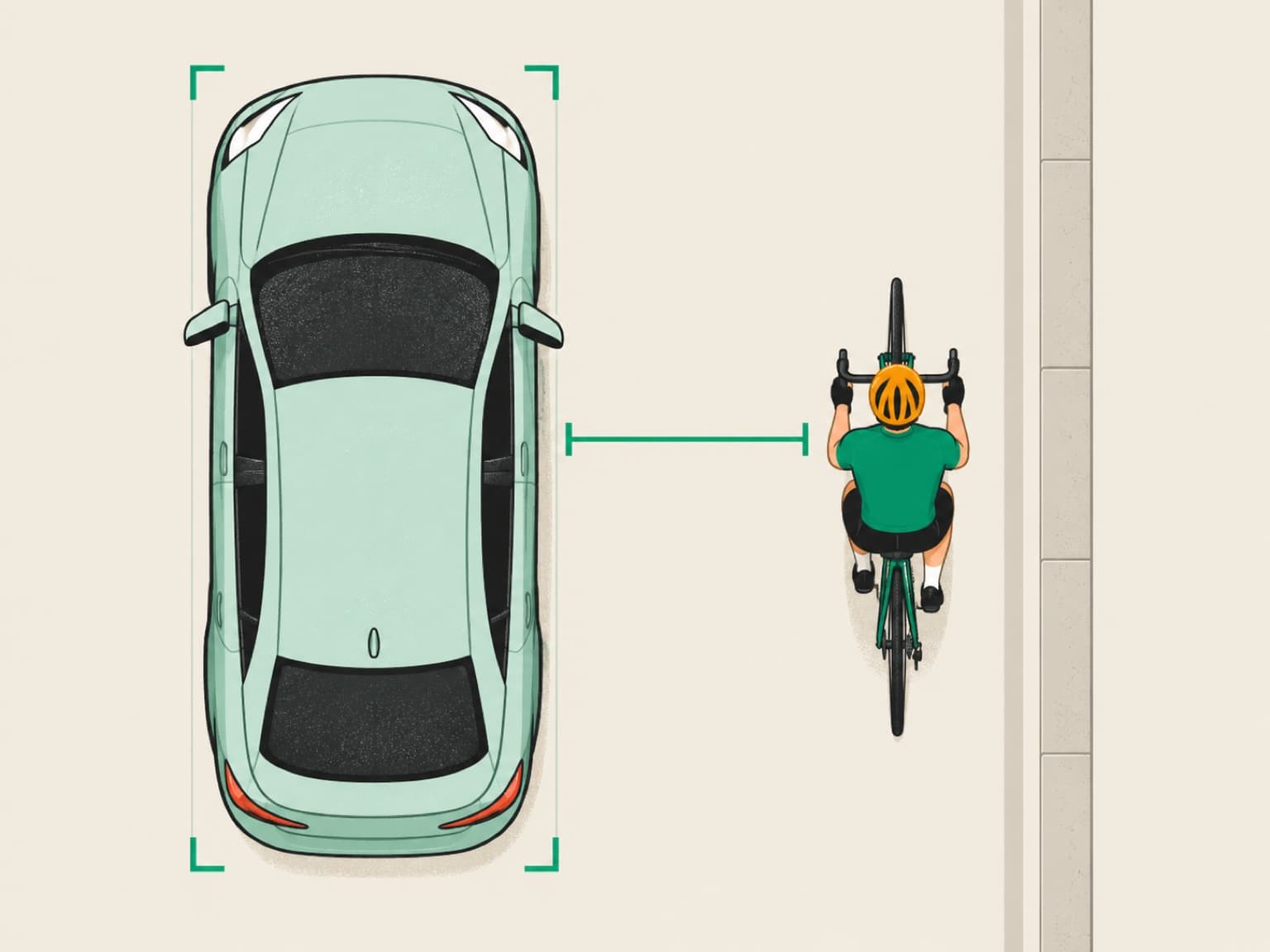
Each pass gets an estimated side gap in feet at its closest point, with a range around it, and is bucketed by clearance into Severe, Near, and Safe, alongside your speed and the vehicle's. The camera works out its own mount and angle from the footage: no calibration, no tape, no setup.
Identify the vehicle
Close-pass reports include the vehicle make, model, year range, color, and body type where the footage is clear enough to identify them.
Read the plate
Readable plates appear alongside the incident, with the frame they were read from. When the footage does not support a clear read, the report marks the plate as unreadable.
Build the report
The ride lands as a timeline with a chapter for each pass. Click a chapter to seek the video; toggle vehicle boxes to outline each detected vehicle and its measured clearance on top of the footage; open analytics for the totals. Every non-safe pass is one click from a downloadable incident PDF.
One toggle puts the measurement on the video.
Every detected vehicle is outlined where it actually appeared, with the class it was identified as and the clearance it left you. Nothing is painted on the road that wasn’t measured on a vehicle.
Scored against the road, not against ourselves.
We keep rider-reviewed encounters separate from physical gap measurements. The stored suite checks whether selected encounters are found, excluded and categorized correctly. Measuring distance error needs a separate set of reliable reference gaps, and that validation is still in progress.
These are the distance figures we plan to publish once there is enough evidence to support them. They are not established by the detection and severity checks alone.
- Average error
- Not yet published
How far, on average, our side gap is from the tape-measured gap.
- 90% of passes within
- Not yet published
The error that nine passes in ten stay under.
- Severity called right
- Not yet published
How often Severe, Near and Safe match the measured band.
- Ranges that hold
- Not yet published
How often the true gap falls inside the range we print.
No GPS on your camera? Drop in your phone track.
Helmet cams, chest cams, dashcams — most don’t record GPS. Doesn’t matter. Drop in a Strava export or any GPX from your phone, and we line it up with the video timeline second-for-second.
Every incident gets pinned to the exact spot on a map. Every report gets an exact street address and the wall-clock time the pass happened. Officers don’t have to take your word for any of it.
Upload your phone track
Strava GPX, Apple Health route, Garmin Connect, or any standard GPX file.
We align by timestamp
Your video’s recording time and the GPX track are matched to the second, no manual nudging.
Map view + exact addresses
Every incident gets reverse-geocoded. The incident PDF gains a map, a pin, and a street address.
The questions riders ask first.
- Do I need to calibrate my camera or mark the road?
- No. Upload your footage and RydIQ handles the setup automatically. You do not need to take measurements or mark the road.
- What cameras does it work with?
- Any forward, helmet, chest, or rear-facing action cam. Drop in a single clip or your whole SD card dump; uploads resume if your wifi blips, and your card can be wiped the moment the upload finishes.
- Does it work on night rides?
- Yes. RydIQ processes night footage and detects overtakes. We have processed night examples and checked the detected passes against the video. Low light can make distance estimates and vehicle identification less certain, and plates may be unreadable. A dedicated night benchmark is still pending.
- How does it measure how close a pass was?
- RydIQ estimates the side gap where the footage supports a reading, with feet or metres available in reports. Measurable overtakes are grouped into Severe (under 3 ft), Near (3 to 6 ft), and Safe (6 ft and over). These are clearance categories, not a guarantee of safety. Some footage cannot support a distance reading. An oncoming or turning vehicle that comes dangerously close is flagged separately as a conflict.
- How accurate is it?
- Our stored regression suite currently passes 22 rider-reviewed cases across two rides: detection, exclusions and severity calls. Night examples have also been reviewed separately, but are not yet part of that benchmark. These checks do not establish exact distance accuracy. Physical gap validation is in progress; distance-error and range-validation figures are not yet published.
- Can it identify the vehicle and read the plate?
- For every non-safe pass, RydIQ identifies the vehicle's make, model, year range, color, body type, and plate where the footage is clear enough. When a plate is unreadable, the report says so.
- What do I get to give the police?
- Every non-safe pass is one click from a police-ready incident PDF: an annotated frame with the measured distance, the identified vehicle, the plate, GPS, and a timestamp. The full ride also lands as a timeline with a chapter per pass, and every detected vehicle can be outlined over the footage with its measured clearance.
- What does it cost?
- Everything is free while RydIQ is in beta. At launch there will be a Free plan and a Pro plan; the pricing page lists both.
- What if my camera doesn't record GPS?
- Phone-track sync (coming soon) covers that: drop in a Strava export or any GPX from your phone and it's aligned to the video second-for-second, so every incident is pinned to a map with an exact street address. It rolls out to every account at launch, with no plan change required.
How close did they actually get? Find out.
Free while we’re in beta. Free and Pro plans at launch, listed on the pricing page. Phone-track sync reaches every account the day it lands.